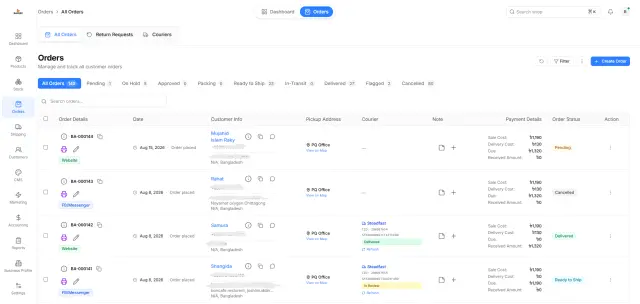
Customer Messages Are Scattered Across Multiple Apps
When customers contact your business through Facebook, Instagram and WhatsApp, staff have to constantly switch between different applications to keep up with conversations.
Ecommerce management software for Bangladesh
PQCommerze Unified Inbox helps online businesses in Bangladesh manage Facebook Messenger, Instagram and WhatsApp conversations together, with an AI Sales Agent for supported repetitive questions.
When customers contact your business through Facebook, Instagram and WhatsApp, staff have to constantly switch between different applications to keep up with conversations.
As message volume increases, unanswered conversations can get buried, causing slower response times and potentially lost sales.
Without clear assignment, two employees may reply to the same customer—or everyone may assume someone else already responded.
Customers ask about prices, available sizes, colours, stock and product details. Finding this information manually slows down every conversation.
A potential buyer may message outside business hours or contact several sellers at once. A delayed answer can mean losing the order.
When messaging happens separately from customer, product and order information, staff need to move between multiple systems just to answer a simple question.
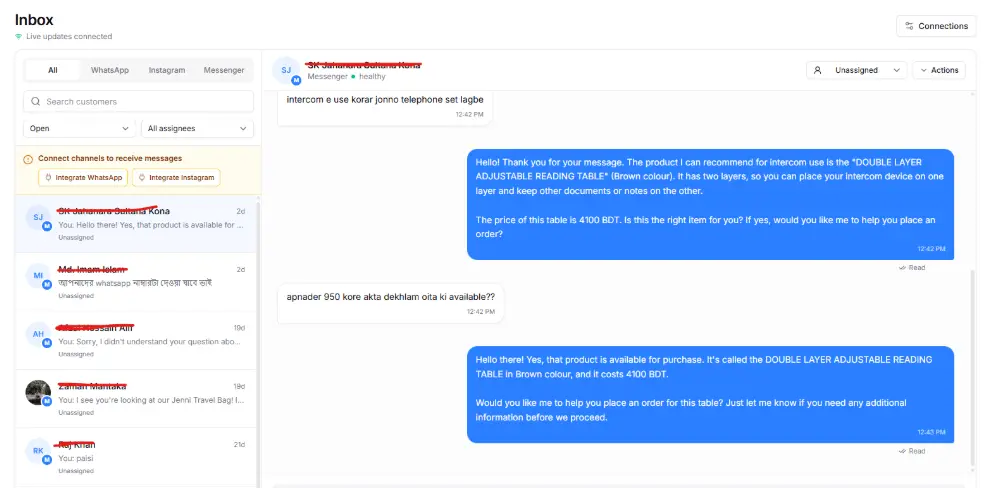
Bring supported Facebook Messenger, Instagram and WhatsApp conversations into one workspace instead of continuously switching between applications. Reply directly from PQCommerze.
Assign conversations to individual staff members, use conversation status and search or filter by supported channel to track who is handling each customer.
Receive and manage supported text, images, files and audio messages according to the capabilities of the connected channel.
See connection information and applicable Meta reply-window status so staff know when a direct response is still available.
Keep communication within the same commerce platform used for customers, products and orders instead of operating an isolated messaging tool.
The Beta AI Sales Agent uses your product catalogue and business information to communicate in Bangla, Banglish and English, understand supported text, images and audio, answer common questions, check product or inventory information, assist with order creation and provide help beyond business hours.
Step 1
Connect supported Facebook, Instagram and WhatsApp business channels with PQCommerze.
Step 2
Customer messages from connected channels appear within the Unified Meta Inbox.
Step 3
Organize incoming conversations by channel or status and assign chats to the appropriate staff member.
Step 4
Staff can view supported text, images, files or audio messages from the conversation.
Step 5
Respond to the customer without repeatedly moving between separate Meta applications.
Step 6
When enabled, the AI Sales Agent can understand supported messages and use relevant business information to prepare or provide responses.
Step 7
The AI can use available product and inventory information when customers ask questions about products.
Step 8
Supported workflows can help turn an interested customer conversation into an order without disconnecting the sales interaction from your commerce system.
Step 9
Your team can continue reviewing conversations and manually respond whenever human assistance is needed.
Handle customer enquiries from Facebook Messenger while keeping conversations closer to products, customers and order operations.
Manage Instagram and supported WhatsApp conversations alongside other Meta channels rather than maintaining separate sales workflows.
Assign conversations to individual team members so responsibilities remain clear as message volume increases.
Let the AI Sales Agent assist with common questions about products, availability and other supported business information.
Serve customers who naturally switch between Bangla, Banglish and English when chatting with online sellers.
Use AI-supported image and audio understanding and provide automated assistance when staff members are unavailable.
Manage Facebook, Instagram and WhatsApp conversations from one inbox, organize your support team and let the PQCommerze AI Sales Agent assist customers with faster, smarter responses.