Customer information gets scattered across orders and messages
When phone numbers, delivery addresses, order history and notes are stored in different places, staff waste time trying to understand a customer before helping them.
Ecommerce management software for Bangladesh
PQCommerze customer management helps ecommerce businesses in Bangladesh organize profiles, order and delivery history, tags and repeat buyers while understanding customer value and regional demand.

When phone numbers, delivery addresses, order history and notes are stored in different places, staff waste time trying to understand a customer before helping them.
Without a connected customer history, businesses may treat loyal buyers exactly the same as first-time customers and miss opportunities to improve retention.
Leads, returning buyers, website customers, phone-order customers and other customer types can quickly become difficult to manage without a flexible tagging system.
A customer may place another order after previous failed or returned deliveries, but staff may not have that history available when confirming the new order.
Total order count alone does not always show which customers return most frequently or contribute the most value over time.
Without customer and regional analytics, it can be difficult to understand which locations contain the most customers or strongest purchasing activity.
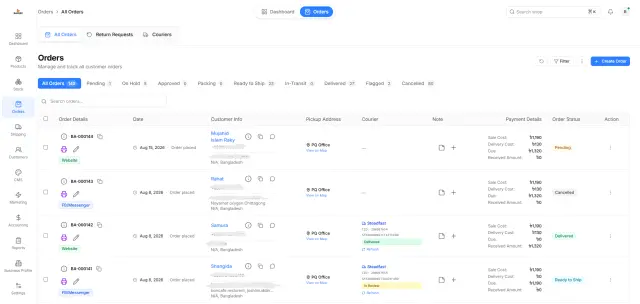
Store contact details, delivery locations, order history, last-order information and customer status in one profile.
PQCommerze can distinguish returning customers based on previous order activity, helping staff understand the relationship immediately.
Use tags to group customers by behaviour, acquisition source, status or any classification useful to your business.
Call, email or open WhatsApp directly from the customer record, then see previous order and delivery outcomes before confirming another order.
Use customer analytics to understand frequent buyers, returning customers, repeat purchases, average purchase value and purchasing patterns.
Compare customer activity across regions to understand geographic demand and support better marketing and delivery decisions.
Step 1
When a customer orders through your storefront or another supported workflow, their information becomes connected with the order.
Step 2
PQCommerze associates the order with the relevant customer record and updates available customer activity.
Step 3
Previous order history helps distinguish a first-time buyer from someone who has ordered before.
Step 4
Add tags such as repeat buyer, lead, website customer, phone-order customer or your own custom classifications.
Step 5
Check past orders, last-order information, delivery outcomes and available customer information before processing a new order.
Step 6
Call, email or contact the customer through WhatsApp directly from their profile.
Step 7
Update customer status or block a customer when operational circumstances require it.
Step 8
Use customer analytics to identify frequent buyers, returning customers, purchase patterns and average order behaviour.
Step 9
Compare customer and purchasing activity across different areas to identify where your strongest customer groups are located.
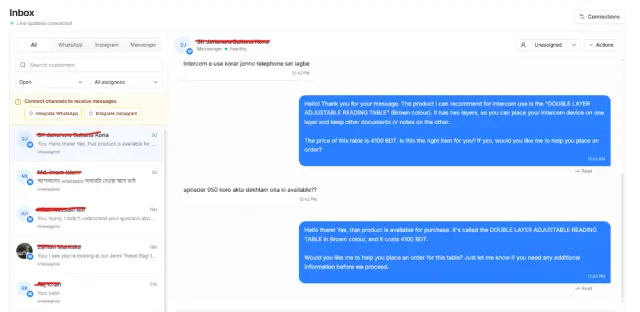
Turn customers who repeatedly order through messages or social channels into structured profiles with clear order histories.
Identify returning buyers and understand their previous purchases instead of treating every order as a completely new interaction.
Review previous delivery outcomes before dispatching another cash-on-delivery order to the same customer.
See contact information, order history and delivery activity together before speaking with a customer.
Use customer tags and purchasing behaviour to identify repeat buyers or high-value customer groups for future marketing activity.
Understand which customers return, how often they purchase, how their value changes and where demand is concentrated to support marketing, fulfilment or expansion decisions.
Keep customer details, purchase history, delivery outcomes and customer insights connected in one place. Understand who buys from you, who comes back and where your most valuable customers are with PQCommerze.