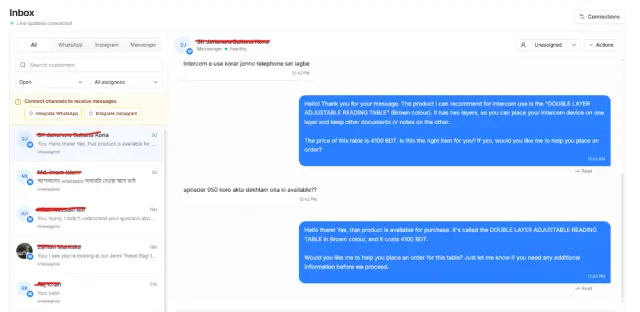
Too many orders, too many places
Orders coming from your website, Facebook, Instagram or other channels can quickly become difficult to track. Manual processing increases the chance of missed orders, duplicate entries and incorrect updates.
Ecommerce management software for Bangladesh
PQCommerze order management helps ecommerce businesses in Bangladesh manage Facebook, Instagram and website orders, including confirmation, courier booking, delivery tracking and returns.
Orders coming from your website, Facebook, Instagram or other channels can quickly become difficult to track. Manual processing increases the chance of missed orders, duplicate entries and incorrect updates.
Copying customer information into separate courier dashboards slows down fulfilment and creates unnecessary repetitive work.
Cancelled, returned and failed orders often become disconnected from the original order, making it harder to understand the real outcome of a sale.
When order details, payment status, courier updates and customer history are kept separately, staff spend more time searching for information and mistakes become more likely.
Duplicate orders and customers with poor previous delivery records can increase delivery costs and failed COD orders if they are not identified before dispatch.
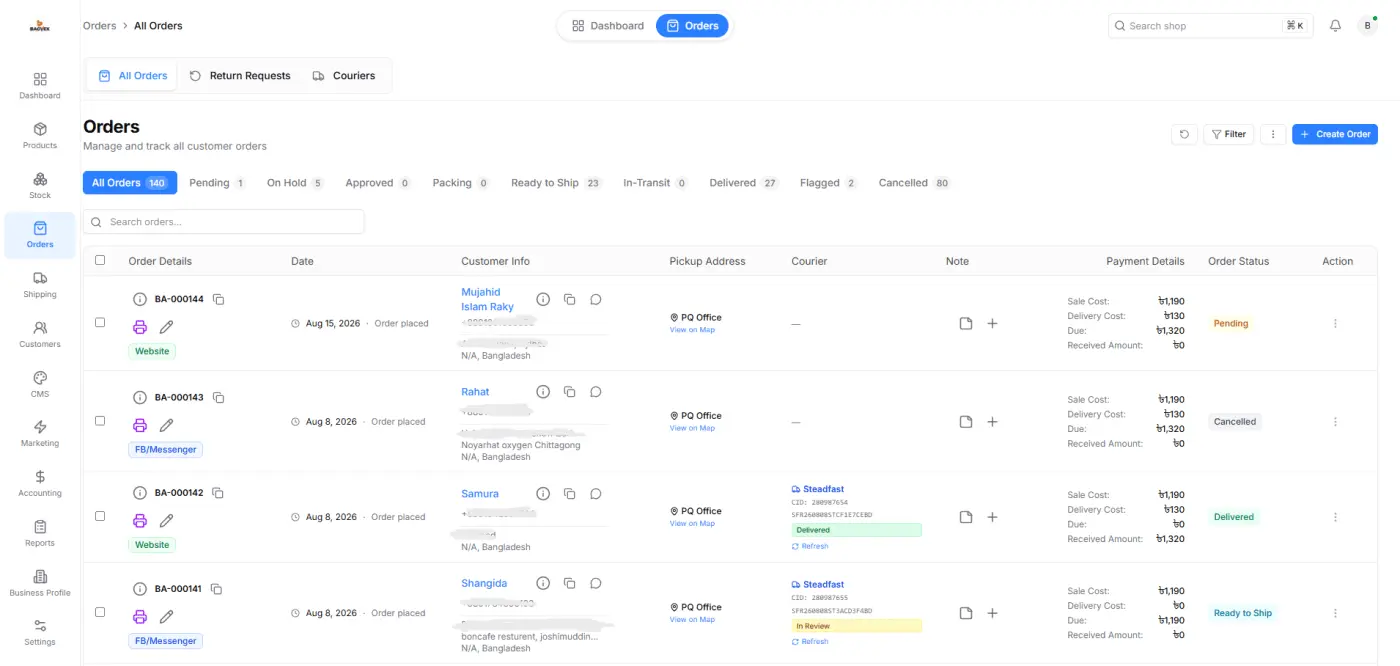
View, update and process orders from your storefront and connected sales channels without switching between multiple systems.
Use bulk actions to update statuses, assign couriers, print invoices and prepare multiple orders at once.
Send eligible orders directly to supported courier providers and track delivery progress without repeatedly entering the same customer information.
Track cancellations, failed deliveries, returns and exchanges while preserving the complete history of the order.
Review duplicate-order warnings, previous delivery outcomes and customer history before dispatching an order.
Orders stay linked with products, inventory, customers, couriers, payments and accounting activity so your business records remain consistent.
Step 1
Orders arrive from your PQCommerze storefront or connected channels. Staff can also create orders manually when needed.
Step 2
Check customer details, ordered products, quantities, pricing, payment status and delivery information before processing.
Step 3
Update the order status, make necessary changes and prepare the order for fulfilment.
Step 4
Choose a supported courier provider and submit the order for delivery directly from PQCommerze.
Step 5
Generate invoices, delivery labels and other fulfilment documents individually or in bulk.
Step 6
Follow courier updates and monitor whether the order is delivered, cancelled, failed or returned.
Step 7
PQCommerze keeps the order connected with inventory, customer history, payments and accounting records even after delivery or return.
Manage orders received through social commerce alongside website orders without maintaining separate spreadsheets or disconnected systems.
Process larger daily order volumes using bulk actions, courier integrations and centralized order tracking.
Track COD orders, courier status, failed deliveries and customer delivery history before dispatching future orders.
Assign orders to supported courier providers from one dashboard instead of managing fulfilment separately across multiple courier systems.
Maintain a clear history of cancelled, failed, returned and exchanged orders while keeping inventory and customer records connected.
Manage orders, couriers, payments, returns, and customer information from one connected platform. Spend less time on repetitive operations and more time growing your business with PQCommerze.